How to...
Sign-Up Process
Click the Sign up button on top right corner, you will be redirected to the registration page
You will be landed on the registration page i.e. ~/Account/Register.
Fill out the information in the form
Once you submit the form the provided Email and the Tenant Code will verified
On Successful registration the account activation link will be sent to your mentioned email address
By clicking the account activation link you will then be redirect to the login page
Sign In Process
On the Sign in page you have to provide the valid Email Address and Password
Click the Login button
You will be redirected to the Azure Developer Portal
Production Subscription
Click Subscribe button
Click the Product menu in the Azure Developer Portal
You will routed to the MAP API Portal
Click Subscribe link
You will be redirect by the Product Page to the product you selected.
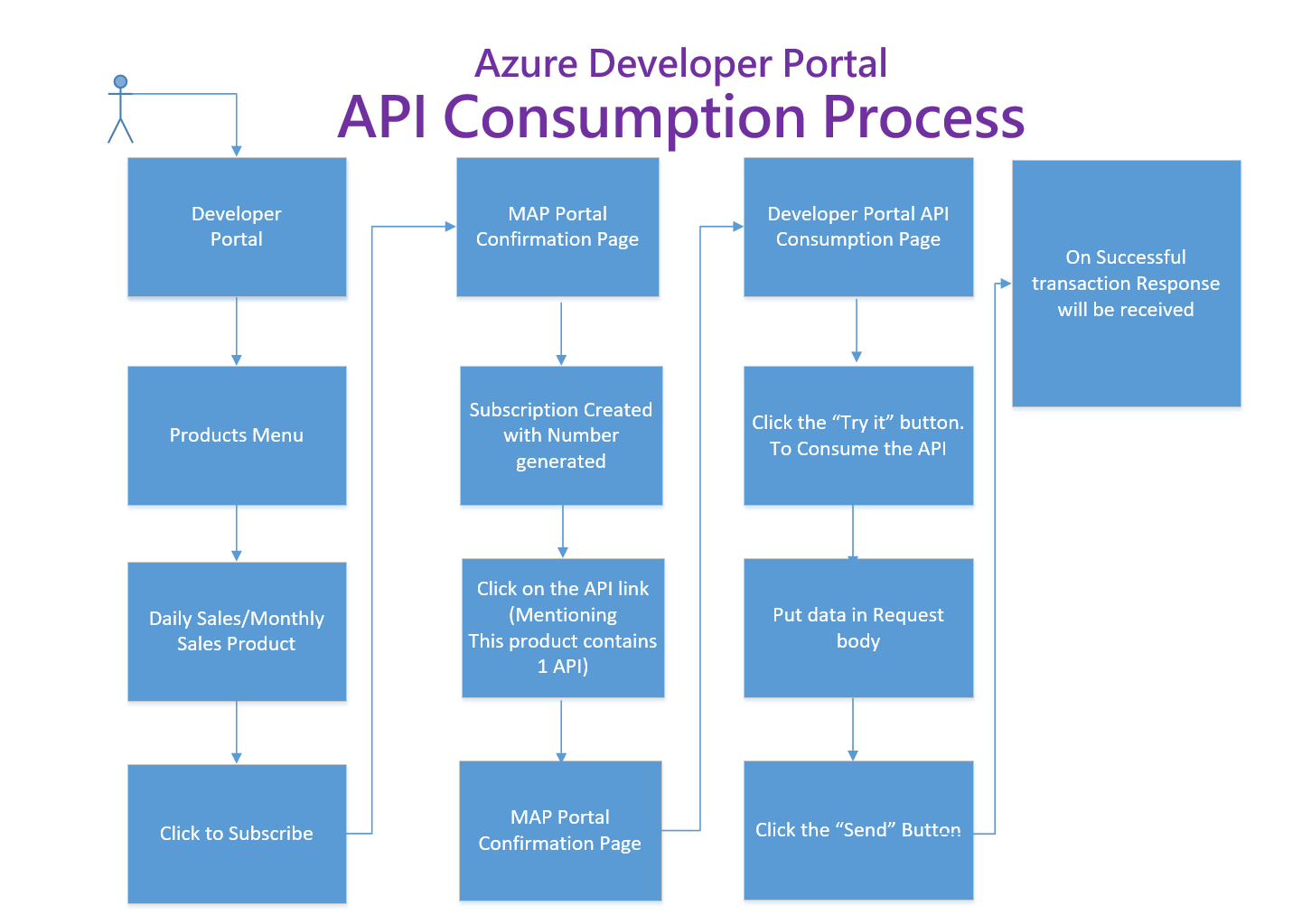
API Consumption
Click on the Products Menu, you will be landed to products page
Select the appropriate product
Click the API you want to consume
Click the try it button
Provide the necessary button
Press the send button